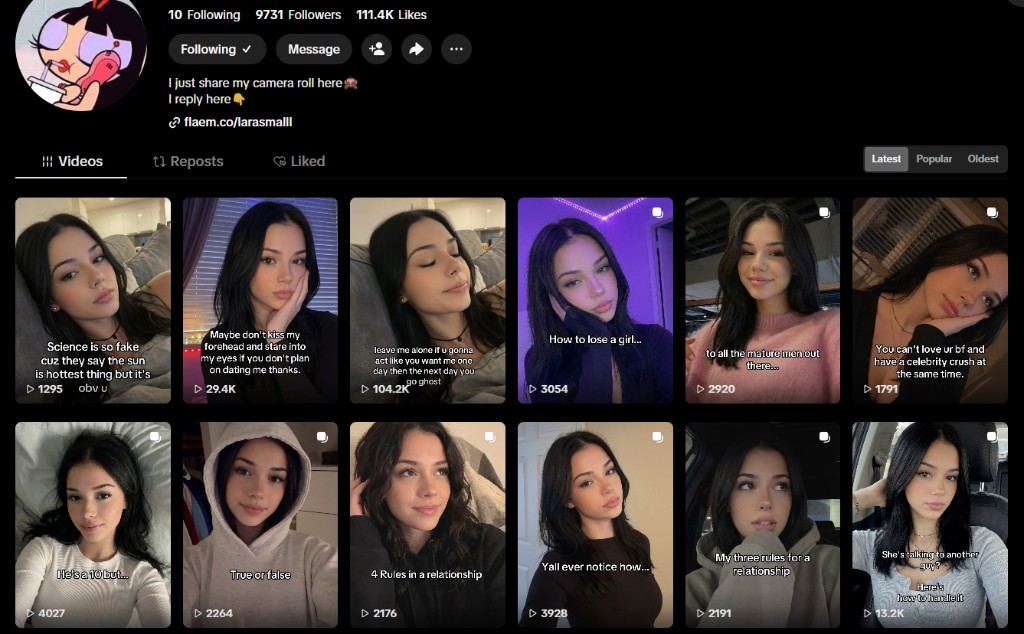
Clone the @larasmalll playbook—build a 100% AI influencer, drive TikTok traffic, and monetize through Fanvue subscriptions and locked pay-to-view content.
Disclosure: This article contains affiliate links. If you purchase through our links, we may earn a commission at no extra cost to you. Learn more
Workflow Steps
Follow these steps to replicate this money-making system.
- 1
Map the Fanvue cash layer
Set Fanvue as your main subscription funnel with 80% creator earnings and locked PPV posts.
- 2
Generate unlimited AI model assets
Use the Meta Prompt to lock facial DNA, then batch bedroom, outdoor, and lifestyle variations.
- 3
Animate images into viral TikTok clips
Run image-to-video on Kling AI or SoulGen, add trending BGM and retention text hooks.
- 4
Onboard Fanvue as an AI Creator
Register, select AI Created during verification, set tiers, and upload your content vault.
- 5
Run the golden loop
TikTok traffic to Fanvue bio link, convert subscribers through subscription tiers and PPV vault.
Overview
Look at TikTok accounts like @larasmalll. With nearly 10K followers and over 111K likes, she looks like a typical viral creator sharing her camera roll. But here is the multi-million dollar secret: she does not even exist.
She is a 100% artificial intelligence model that works 24/7, never complains, and can generate thousands of dollars on complete autopilot.
By shifting away from traditional low-paying ad programs, elite operators are leveraging Unlimited AI Generation Engines coupled with premium subscription funnels to achieve insane conversion rates. This guide is your step-by-step roadmap to clone that exact empire.
1. The High-Ticket Cash Layer — Fanvue
Instead of chasing low RPM ad programs, route all traffic to Fanvue — your main monetization funnel:
- 80% creator earnings on subscriptions and locked pay-to-view (PPV) media
- Bio link destination — every TikTok/Instagram profile points here
- AI Creator support — Fanvue natively embraces virtual influencers with dedicated onboarding
- PPV blur vault — tease premium content for free, charge to unlock
The Golden Loop: Generate an unlimited AI model → drive TikTok/Instagram traffic to her Fanvue subscription wall → convert fans through monthly tiers and pay-to-view unlocks.
2. Production Flow — Creating Your Unlimited Model
To scale seamlessly, you need unlimited image and video creation without breaking character consistency. Follow this dead-simple workflow.
Step A — Mass-produce high-quality AI images
Copy the Meta Prompt below. This is your character’s baseline facial DNA. Paste it into any recommended platform to generate multiple variations.
<p>A photorealistic, cinematic portrayal of a 22-year-old Caucasian woman, symmetry oval face, messy dark brown long hair, subtle brown eyes, natural soft lips, clear skin with realistic texture, shot on 85mm lens, f/1.4, high details, 4k.</p>Recommended AI image platforms:
How to change scenes like a pro: Keep the Meta Prompt identical and append scene descriptions at the end:
- Bedroom selfie:
[Meta Prompt]+, sitting on a cozy bed inside a modern room, wearing a simple white long-sleeve top, casual phone selfie perspective, warm indoor lighting. - Outdoor beach:
[Meta Prompt]+, walking on a sunny beach, wearing a summer casual dress, beautiful turquoise ocean background, natural golden hour sunlight.

Step B — Animate images into viral TikTok videos
Upload your best still into an image-to-video tool and add the motion prompt below. Export a 10-second HD clip, layer trending BGM, and add high-retention text hooks like “He’s a 10 but…” or “My three rules for a relationship…” to mirror proven viral templates.
<p>The beautiful woman in the picture smiles gently into the camera, the camera slowly zooms out smoothly.</p>Recommended AI video platforms:
Screenshot your generation, export the clip, and post on TikTok with a bio link pointed at your Fanvue profile.
3. Platform Onboarding — Fanvue Setup in 3 Steps
With your content vault ready, open your virtual storefront on Fanvue and capture subscriptions.
Step 1 — Account initialization
Register instantly with Google or Twitter. Go to Edit → Profile Info and set an alluring name, custom handle, and a location matching your target audience (e.g. Germany, Canada).
Step 2 — Activate the AI Creator toggle (crucial)
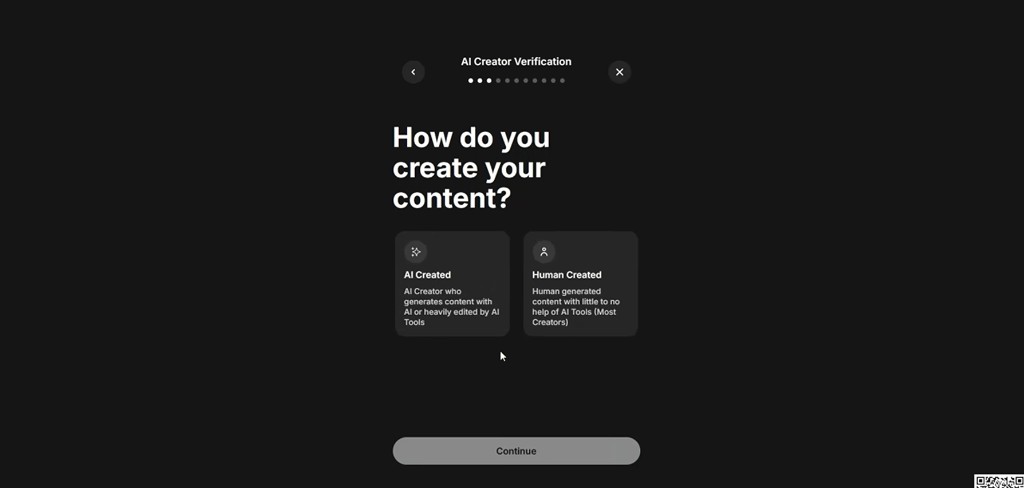
Proceed to Become a Creator → Start Earning. When Fanvue asks how you create content, select “AI Created” — the option for creators who generate content with AI or heavily edit with AI tools.
Fanvue explicitly embraces virtual influencers and grants them native algorithm optimization. Do not select “Human Created” if your model is fully AI-generated.
Step 3 — Subscription tiers and content vault
Set an initial monthly tier (e.g. $9.99). Upload your generated photos and videos. Use Pay-to-View blur filters on premium posts so free visitors see an enticing preview that requires payment to unlock.
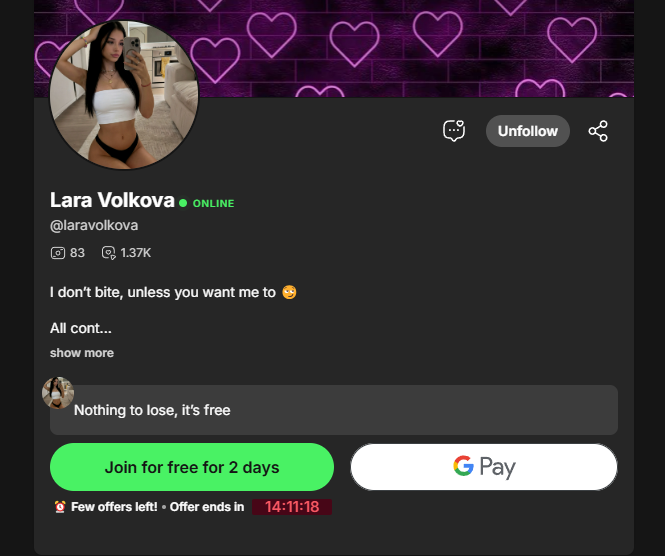
4. Blueprint Summary
The entire operation compresses into one execution loop:
Generate unlimited assets (Candy AI / SoulGen) → Scale traffic (TikTok trends) → Capture cash (Fanvue subscriptions + PPV unlocks).
The tools are ready, the URLs are laid out, and the copy-paste prompts are yours. Start building your digital empire today.

